
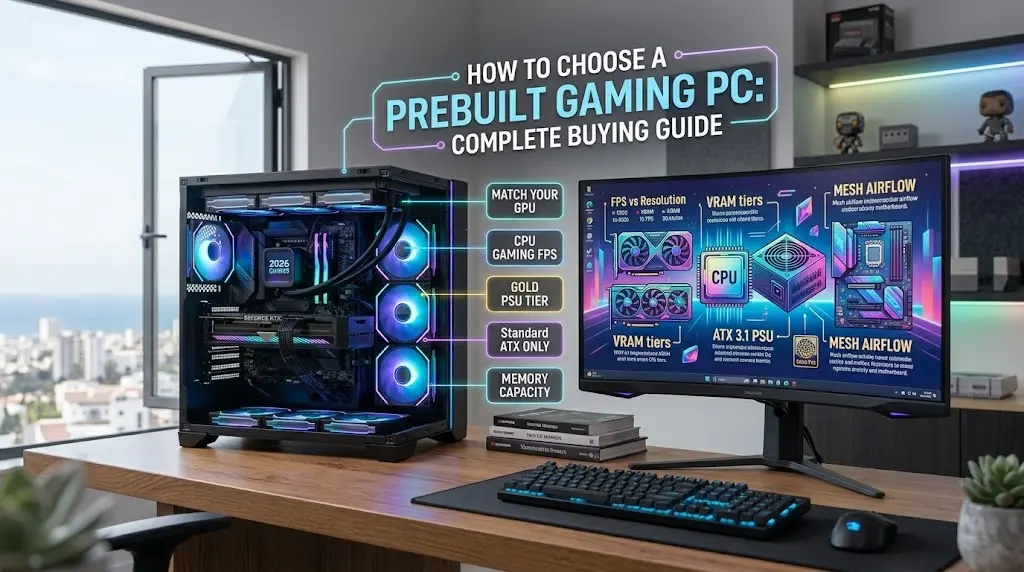
How to Choose a Prebuilt Gaming PC: Complete Buying Guide (What to Look for, Red Flags to Avoid, and How to Get the Best Value)
Buying a prebuilt gaming desktop avoids the stress of bent CPU pins, cable routing, and troubleshooting DOA components. However, system integrators often cut corners on non-headline hardware—like cheap motherboards, single-channel RAM, or low-tier power supplies. Knowing how to evaluate internal components ensures you buy a rig that stays fast, cool, and upgradeable for years.
Quick Checklist for Buying a Prebuilt Gaming PC
- Match GPU to Display: Buy based on your target resolution: RTX 5060/RX 9060 for 1080p, RTX 5070/RX 9070 XT for 1440p, and RTX 5080/RTX 5090 for 4K.
- CPU Selection: Prioritize AMD X3D chips (Ryzen 7 7800X3D/9800X3D) for pure gaming frame times; choose Intel Core Ultra or Ryzen 9 for heavy video editing and multitasking.
- Standard Components Only: Insist on standard ATX form factors. Avoid proprietary motherboards and non-standard power supply connectors.
- Memory & Storage: Settle for nothing less than 32GB dual-channel DDR5 and a minimum 1TB to 2TB NVMe PCIe 4.0 SSD.
- Airflow Over Aesthetics: Pick mesh-front cases over sealed acrylic or solid glass boxes to prevent thermal throttling.
Quick Recommendation: Looking for tested, ready-to-ship configurations? You can browse the best prebuilt gaming PCs tested across 1080p, 1440p, and 4K resolution tiers.
How to Match Your GPU to Your Monitor Resolution
The graphics card is the single most critical component determining your gaming frame rates. Allocate 40% to 50% of your total budget here.
- 1080p Competitive Gaming (FHD): Requires an RTX 5060, RTX 5060 Ti, or Radeon RX 9060. Focus on high frame rates (144Hz+) for esports titles without overspending on excess VRAM.
- 1440p Sweet Spot (QHD): Demands an RTX 5070, RTX 5070 Ti, or Radeon RX 9070 XT. Ensure your GPU has at least 12GB to 16GB of VRAM to handle high-resolution texture packs and ray tracing.
- 4K Ultra & VR Enthusiast (UHD): Requires an RTX 5080 (16GB) or RTX 5090 (32GB). Anything less forces severe DLSS/FSR upscaling compromises in modern AAA titles.
How I Evaluate Prebuilt Gaming Hardware
Every prebuilt should be filtered through four non-negotiable standards before you checkout:
- Power Supply Tiering: Reputable 80-Plus Gold certification with ATX 3.1 compliance and native 12V-2×6 connectors for high-draw GPUs.
- Thermal & Case Design: Front-to-back positive pressure airflow with dedicated intake fans; 240mm to 360mm AIO liquid coolers for top-tier CPUs.
- Motherboard Expansion: Standard ATX or mATX boards with heatsink-cooled VRMs, multiple M.2 NVMe slots, and accessible PCIe lanes.
- Warranty & Support: Minimum 1-to-2 year full parts-and-labor coverage with accessible domestic support.
Key Hardware Standards at a Glance
| Component | Minimum Spec | Recommended Spec | Red Flags to Avoid |
|---|---|---|---|
| GPU | 12GB VRAM (Mid-range) | ✔ 16GB+ VRAM | ✖ 8GB cards on $1,500+ systems |
| CPU | 6-Core / 12-Thread modern | ✔ 8-Core AMD X3D or Intel Ultra 7 | ✖ Outdated 11th/12th Gen budget dumps |
| RAM | 16GB DDR5 (2x8GB) | ✔ 32GB DDR5-6000 CL30 (2x16GB) | ✖ Single-stick (single-channel) memory |
| Storage | 1TB NVMe PCIe 4.0 | ✔ 2TB PCIe 4.0/5.0 NVMe SSD | ✖ SATA SSDs or HDDs as boot drives |
| Power Supply | 650W 80+ Bronze | ✔ 850W–1000W 80+ Gold (ATX 3.1) | ✖ Unbranded, non-modular “mystery” PSUs |
| Case | Acrylic side panel | ✔ Tempered glass + fine mesh front | ✖ Solid sealed front panel, zero airflow |
CPU Selection – Balancing Gaming Speed vs. Productivity
Why It Matters
A weak CPU creates severe frame time stutter and prevents your GPU from reaching 100% utilization. AMD’s 3D V-Cache architecture is the gold standard for native gaming, while Intel’s hybrid architecture shines in media creation suites.
Pros and Cons of Common CPU Routes
- AMD Ryzen X3D (e.g., 7800X3D, 9800X3D):
- Pros: Top gaming frame rates, exceptional 1% lows, energy-efficient.
- Cons: Higher price tier, lower core counts for raw multi-threaded rendering.
- Intel Core Ultra / Core i7/i9:
- Pros: High core counts for heavy multitasking, QuickSync hardware video decoding.
- Cons: Requires robust liquid cooling arrays under continuous workloads.
Best CPU Tiers for Prebuilts
- Budget Gaming: AMD Ryzen 5 7600 or Intel Core i5-14400F.
- Mid-to-High Gaming: AMD Ryzen 7 7800X3D or Ryzen 7 9800X3D.
- Streaming & Content Creation: AMD Ryzen 9 9950X3D or Intel Core Ultra 7 265KF / Ultra 9.
Memory & Storage – Avoiding Hidden Bottlenecks
Why It Matters
Sellers often cut costs on RAM and storage to offer a lower sticker price. Running a single RAM stick cuts memory bandwidth in half, resulting in severe in-game frame drops.
Pros and Cons of Memory & Storage Options
- Dual-Channel (2x16GB) DDR5:
- Pros: Unlocks full CPU memory bandwidth, supports simultaneous streaming and browsing.
- Cons: Slightly raises upfront build cost.
- High-Speed NVMe Storage (Gen4/Gen5):
- Pros: DirectStorage support enables instantaneous game asset loading.
- Cons: Cheap prebuilts often omit thermal heatsinks, causing SSD thermal throttling.
Storage & RAM Standards to Look For
- Configuration: Always insist on 2 sticks (Dual-Channel), never a single 1x16GB or 1x32GB stick.
- Speed: DDR5-6000MHz with tight timings (CL30 to CL36) is the sweet spot for modern AMD and Intel rigs.
- Capacity: 32GB RAM is standard; 1TB NVMe SSD minimum, with 2TB preferred.
Cooling and Airflow – Preventing Thermal Throttling
Why It Matters
Modern gaming components run hot. If the prebuilt’s case cannot exhaust heated air, components will automatically downclock (thermal throttle), degrading your gaming performance.
Pros and Cons of Cooling Configurations
- Mesh Front Panel Cases:
- Pros: Maximum unobstructed cool air intake, lower internal ambient temperatures.
- Cons: Requires regular dust-filter maintenance.
- Liquid AIO Cooling (240mm/360mm):
- Pros: Whisper-quiet gaming acoustics and high thermal headroom for high-TDP processors.
- Cons: Introduces pump mechanics that may require replacement after 4 to 6 years.
Essential Thermal Checklist
- Look for at least 3 intake fans and 1 exhaust fan.
- For mid-range CPUs (65W–105W), a dual-tower air cooler is reliable and durable.
- For enthusiast CPUs (120W+), demand a 240mm or 360mm All-In-One (AIO) liquid cooler.
Power Supplies – Protecting Your Investment
Why It Matters
The power supply unit (PSU) delivers voltage to every component in the machine. A cheap, uncertified unit risks hardware failure during transient power spikes.
Pros and Cons of PSU Selection
- Tier-A/B Gold-Rated Modular Units:
- Pros: Reliable voltage regulation, quieter operation, and clean cable airflow.
- Cons: System integrators charge a premium over generic OEM supplies.
- ATX 3.1 / PCIe 5.0 Compliance:
- Pros: Native 12V-2×6 power connectors remove the need for bulky, messy GPU adapter cables.
- Cons: Adds to upfront purchase cost.
Recommended Wattage Baselines
- RTX 5060 / 5060 Ti builds: 650W minimum (80+ Bronze or Gold).
- RTX 5070 / RX 9070 XT builds: 750W–850W (80+ Gold).
- RTX 5080 / RTX 5090 builds: 1000W–1200W+ (80+ Gold or Platinum, ATX 3.1).
System Integrators vs. Big OEM Brands
Why It Matters
Where you buy dictates whether your computer can be upgraded in three years or must be thrown away.
Pros and Cons: Boutique Builders vs. Big Box OEMs
- Boutique Integrators (Corsair, CyberPower, iBUYPOWER, ABS, Maingear):
- Pros: Use 100% off-the-shelf standard ATX motherboards, power supplies, and cases. Easy to upgrade.
- Cons: Pricing can vary significantly depending on sales cycles.
- Big Box OEMs (Dell, HP Omen, Acer):
- Pros: Frequent flash discounts and wide brick-and-mortar retail availability.
- Cons: Often rely on proprietary motherboards, custom non-ATX power plugs, and restricted BIOS updates.
Red Flags to Watch Out For When Shopping
Outdated Hardware Cleared at “Discount”
Retailers frequently market previous-generation CPUs (such as 11th/12th Gen Intel) alongside entry GPUs as “Gaming Rigs.” Always check component release generations.
Single-Channel RAM Configurations
Verify spec sheets: “16GB RAM” often means a single 16GB stick on budget systems, cutting memory throughput in half. Ensure the listing confirms “2x8GB” or “2x16GB.”
Proprietary Cases and Motherboards
If the back IO plate is stamped directly into the chassis metal rather than using a removable IO shield, the motherboard is proprietary and cannot be replaced later.
Generic “600W Power Supply” Without Brand or Efficiency Rating
If a spec sheet does not state the 80-Plus efficiency certification (Bronze, Gold) or the PSU manufacturer, assume it is a bottom-tier unit that should be upgraded.
Frequently Asked Questions
The graphics card (GPU) is the most critical component. It handles frame rendering, geometry calculation, and resolution output. Ensure you balance it with a modern CPU so it isn’t bottlenecked.
$800–$1,100: Solid 1080p competitive esports gaming.
$1,200–$1,800: Sweet spot for high-refresh 1440p gaming with ray tracing.
$2,000–$3,500+: Enthusiast 4K maxed-out gaming, local AI, and production workflows.
Yes, as long as the PC uses standard ATX form factors. You can swap graphics cards, add more RAM, install additional M.2 storage drives, and replace power supplies down the road.
Not for all systems. Budget and mid-tier CPUs (like Ryzen 5 or Core i5) run well on standard tower air coolers. Liquid cooling (240mm or 360mm AIOs) is primarily needed for high-TDP chips like the Ryzen 9 or Core Ultra 7/9.
Open the side panel and remove all internal expanding foam packing materials.
Inspect GPU retention brackets, power cables, and RAM sticks to verify nothing disconnected during shipping.
Plug your monitor cable directly into the graphics card, not the motherboard video port.
Boot into BIOS, enable AMD EXPO or Intel XMP to run your RAM at full speed, and install the latest GPU drivers.